Free Access Easy Tutorial Best Update
TEMPAT BERBAGI ILMU | BERBAGI INFO | BERBAGI SOFTWARE KOMPUTER GRATIS

Tampilan iPAD Proview Technology

Jika dicermati, desain iPAD Proview sangat mirip dengan produk komputer milik Apple sebelumnya.

Ilmuwan India Bikin Pencetak Benda dari Foto 3D

Printer 3D hasil ciptaan Tammabattula belum digunakan secara komersial. Tapi, pihaknya sudah melobi ke pemerintah India untuk bisa digunakan.

Kelas Gratis "OpenBTS" Digelar di Jogja

ICT Watch mengadakan workshop dan diskusi dalam gelaran Jagongan Media Rakyat 2012 yang digelar di Yogyakarta, 23-25 Februari 2012.

Laptop Tipis Akan Jadi Tren di 2012

Yaitu Ultrabook dan MacBook Air dari Apple,.

KRITIK DAN PUJIAN UNTUK WINDOWS 8

Microsoft mendesain logo Windows 8 yang dirilis melalui blog Tim Windows hasil kerjasama perusahaan desain global Pentagram.

Showing posts with label Multimedia. Show all posts

JRiver Media Center


Software yang ahli dalam menangani file-file multimedia seperti photo, video dan musik. Tidak hanya sebagai player saja, JRiver Media Center support dengan podcast, covert art downloader, file manager, playlist, plugin, CD dan DVD burner, Rip Disc dan masih banyak fitur yang lainnya. Patch lama yang dulu pernah di post sudah tidak bekerja, jadi teman-teman bisa menggunakan patch baru ini :).
New Features in JRiver Media Center 17:
* Carnac — auto-tagging engine that fills in missing information about files by using the filename, codec, and other known information
* DSD bitstreaming over ASIO
* File system manager that better handles connecting to mapped network drives, detecting missing UNC paths, and more
* Theater View television guide browsing improvements (grid-style view, search, backdrops from TheTVDB, etc.)
* Blu-ray title selection
* Improved DVB TV scanning
* Gapless iTunes encoded MP3 playback
* Expression language improvements (IfElse(…), etc.)
* DVD playback over Library Server
* Image orientation field
* Improved search so that it views more fields and gives better suggestions
* Faster loading of the database
* Commercial skipping
* Television program guide view backdrops in Theater View
Changes in JRiver Media Center 17.0.106 (13/03/2012):
1. Changed: Updated to madVR v0.82.5 when using Red October HQ.
2. Changed: Updated LAV .49. VC1 files now handled by LAV video decoder.
3. Fixed: Burn queue track sorting was broken.
4. NEW: Added support for DSD bitstreaming using DoP (requires ‘WASAPI – Event Style’ output and supported DSD hardware).
5. NEW: DSD bitstreaming using DoP allows selecting the marker bytes (supports DoP 1.0, and older 0xAA approach used by dCS, Meitner, and others).
6. Fixed: In some cases, text based subtitles could appear with multiple subtitles on top of one another.
7. Fixed: EPG guide loading was not working properly for countries other than the US.
8. Faster: Burning an audio CD when not decoding directly to disc prepares files several times faster.
9. NEW: Added expression FileFolder(…) to get the folder of a file: FileFolder(string Filename = [Filename, 0], int LevelsUp = 0).
Operating System: Windows 2000, XP, Vista, Windows 7, & Home Server.
Homepage: http://www.jrmediacenter.com/  
Tested...Worked 

Aurora 3D Animation Maker v11 + Crack


Aurora 3D Animation Maker v11.08 Full Version with Crack merupakan sebuah software yang dapat anda gunakan untuk membuat gambar maupun banner dalam bentuk animasi. Bisa berupa animasi flash (.swf) bisa juga animasi GIF. Cocok bagi anda baik pemula maupun profesional yang ingin membuat banner digital dengan mudah namun memiliki hasil yang cukup bagus.

Download :
System Requirements :
  • Pentium IV or Equivalent or Higher
  • Windows XP, Vista, 7 Supported
  • 512 of RAM (1GB is Recomended)
  • 100MB harddisk Space

Cyberlink PowerDVD Ultra 11 +Keygen


Cyberlink PowerDVD Ultra 11 merupakan versi terbaru dari PowerDVD. Pada versi 11 ini PowerDVD mengubah tampilannya menjadi lebih apik dan user friendly. PowerDVD 11 ini dapat anda gunakan sebagai pemutar film 3D dan BluRay Player. Bagi kamu yang suka nonton Film dengan sensasi yang mantap, kayaknya Cyberlink PowerDVD 11 ini wajib anda miliki. Cekidor.


Download :

Tips 1 : 

Untuk Windows 7 dan Windows XP (x86/x64)
  1. Start - RUN (Tombol Bendera + R) - ketik : regedit
  2. Masuk ke :
    [HKEY_LOCAL_MACHINE\SOFTWARE\CyberLink\PowerDVD11\CustomReg]
    atau
    [HKEY_LOCAL_MACHINE\SOFTWARE\Wow6432Node\CyberLink\PowerDVD11\CustomReg]
  3. Klik 2X "UI_UpgradeStrategy" - Ubah Value menjadi 00000000 - OK
  4. Jalankan PowerDVD - Masukkan Serial yang ada pada Keygen.

TIPS 2 :
  • Barusan saya menginstall PowerDVD 11 di Windows 7 dan ternyata memang tidak bisa dan membutuhkan koneksi internet. Namun setelah saya coba saya menemukan solusinya dan 100% Working. Caranya :
  1. Restart PC - Masuk ke Safe Mode

    Cara masuk ke Safe Mode ya itu saat PC sedang booting anda tekan-tekan F8
    Nanti akan muncul pilihan, pilih SAFE MODE.
  2. Jalankan Keygen - Pilih Serial
  3. Jalankan PowerDVD 11 - Paste Serial
  4. Selanjutnya ikuti langkah yang sudah diberikan. Yaitu hilangkan centang "remind me later" dan klik SKIP Registration.

Autodesk AutoCAD Civil 3D + Keygen


Ada yang masih asing dengan software Autodesk AutoCAD Civil 3D 2012 ini? Saya juga masih asing karena tidak pernah menggunakannya, namun pada intinya Autodesk AutoCAD Civil 3D 2012 ini merupakan software yang dapat anda gunakan untuk mendesain dan menganalisis bangunan. Ya pokoknya yang berkaitan dengan Teknik Sipil gitu deh. Cekidot.

Download :
System Requirements :
32 Bit Version :
  • Microsoft® Windows® 7 (recommended) Enterprise, Ultimate, or Professional edition, Microsoft® Windows Vista® Enterprise, Business, or Ultimate edition (SP2 or later), or Microsoft® Windows® XP Professional edition (SP3 or later)
  • For Windows 7 or Windows Vista: Intel® Pentium® 4 processor or AMD Athlon™ dual-core processor, 3.0 GHz or faster with SSE2 technology
  • For Windows XP: Intel Pentium 4 or AMD Athlon dual-core processor, 1.6 GHz or faster with SSE2 technology
  • 1 GB RAM minimium (4 GB recommended)
  • 12 GB disk space for installation (7 GB for electronic download with at least 2 GB free after installation)
  • 1,280 x 1,024 true color video display adapter (1,600 x 1,200 with true color recommended, multiple monitors are supported)
  • Microsoft® Internet Explorer® 7.0 or later
  • DVD drive
64 Bit Version :
  • Windows 7 (recommended) Enterprise, Ultimate, or Professional edition, Windows Vista Enterprise, Business, or Ultimate edition (SP2 or later), or Windows XP Professional edition (SP2 or later)
  • AMD Athlon™ 64 processor with SSE2 technology, AMD Opteron™ processor with SSE2 technology, Intel® Xeon processor with Intel EM64T support and SSE2, or Intel Pentium 4 with Intel EM64T support and SSE2 technology
  • 4 GB RAM minimum (8 GB recommended)
  • 12 GB disk space for installation (7 GB for electronic download with at least 2 GB free after installation)
  • 1,280 x 1,024 true color video display adapter (1,600 x 1,200 with true color recommended, multiple monitors are supported)
  • Internet Explorer 7.0 or later
  • DVD drive
Cara Install :
  1. Download semua part - Gabungkan dengan HJSPLIT
  2. Lalu Ekstrak file ISO dengan PowerISO
  3. Setelah itu Install AutoCAD Civil 3D seperti biasa

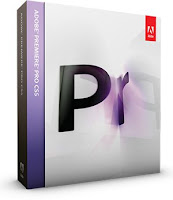
Adobe Premiere Pro CS5 + Patch


Software Adobe Premiere Pro CS5 Berguna untuk produksi video, memungkinkan Anda  bekerja lebih cepat ,Bekerja native dengan format video yang Anda inginkan dan mempercepat produksi dari naskah ke editing, encoding, dan pengiriman akhir.
Impor dan ekspor Apple Final Cut Pro dan Avid proyek dalam Adobe Premiere Pro sehingga Anda dapat menjelajahi kemungkinan baru dengan After Effects, Photoshop, dan perangkat lunak Adobe lainnya, membawa integrasi timesaving antara alat Adobe untuk proyek-proyek yang dibuat dalam NLEs lain.
Menyelaraskan skrip untuk rekaman dan kemudian mengoptimalkan video untuk membuatnya menarik dengan layanan gratis CS Live untuk waktu yang terbatas.
Edit video native dalam format terbaru termasuk, AVCCAM, XDCAM HD 50, DPX, P2, XDCAM, dan kamera DSLR, tanpa transcoding atau rewrapping.
Buka workflow dengan perangkat lunak Final Cut Pro dan Avid, ini Membawa manfaat untuk seluruh proyek dengan mengimpor dan mengekspor proyek dari NLEs lain.
Dukungan asli untuk kamera DSLR baru
Edit video asli dari kamera DSLR terbaru tanpa transcoding atau rewrapping.
Besar File Adobe Premiere Pro CS5 5,0 |2,3 GB
Silahkan Download Gratis disini :

TechSmith SnagIt + SN


Software yang dapat teman-teman gunakan untuk mengambil screenshot, merekam video dan mengambil teks dari layar monitor dengan mudah, untuk kita publikasikan ke website atau sebagai bahan presentasi. Di versi 11 ini tampilan SnagIt tampilan sedikit berubah dan entah kenapa SnagIt menghapus beberapa fitur-fiturnya seperti Web Capture mode, dll.
Key features:
  1. Combine images - Create custom graphics easily by taking multiple captures and putting them together. 
  2. Spotlight and magnify - Draw attention to a specific part of your image. Just select the portion you want and Snagit will blur and darken everything else. 
  3. Markup tools - Add effects to your image, even if you don't have a design degree. Draw attention with arrows, add a text callout or torn edge effect…just to name a few. 
  4. Auto-storing- All of your captures are automatically saved to your Library with the most recent viewable all the time. Save time by quickly finding all your past captures. 
  5. Tagging - Along with saving your capture, Snagit also stores information so you can find it again later. Search for your captures by date, website, or a custom flag that you create and assign.
Changes in Snagit v11.0.0 (28 February, 2012):
  1. Improved video capture.
  2. Added MP4 support for video output.
  3. Added spell checking to callouts and text capture.
  4. Added Camtasia Studio output, Screencast.com output, and YouTube output to the default install.
  5. Improved scrolling capture support for Google Chrome.
  6. Added more increments to the zoom slider in editor.
  7. Added support for working in natural units (inches and centimeters) for image sizing.
  8. Restricted the use of GIF and 256-color image files to only during opening and saving.
  9. Added an option to prevent automatically saving captures.
  10. Improved Snagit’s performance, particularly for images with transparency.
  11. Removed support for several file formats including .msp, .cal, .pcx, .raw, etc.
  12. Removed the ability to capture full screen DOS windows.
  13. Removed the ability to capture icons from .exe and .dll files.
  14. Removed the “Create Web Page” feature.
  15. Removed the Web Capture mode.
  16. Removed the ability to capture from DirectX applications.
  17. Removed various region capture options including capturing triangle region, a rounded rectangle region, an ellipse region, etc.
  18. Fixed several problems where security software interfered with Snagit’s installation and functionality.
  19. Fixed a bug where upgrading to a new version of Snagit required restarting Internet Explorer.
  20. Fixed a bug where moving saved .snag files to new directories caused the files to become corrupted.
  21. Fixed a crash bug that would occur when using the perspective/shear effect.
Operating System: Windows 2K / XP / Vista / Vista64 / 7 / 7 x64 
Homepage: http://www.techsmith.com/snagit.html 
Tested...Worked 

 
;